
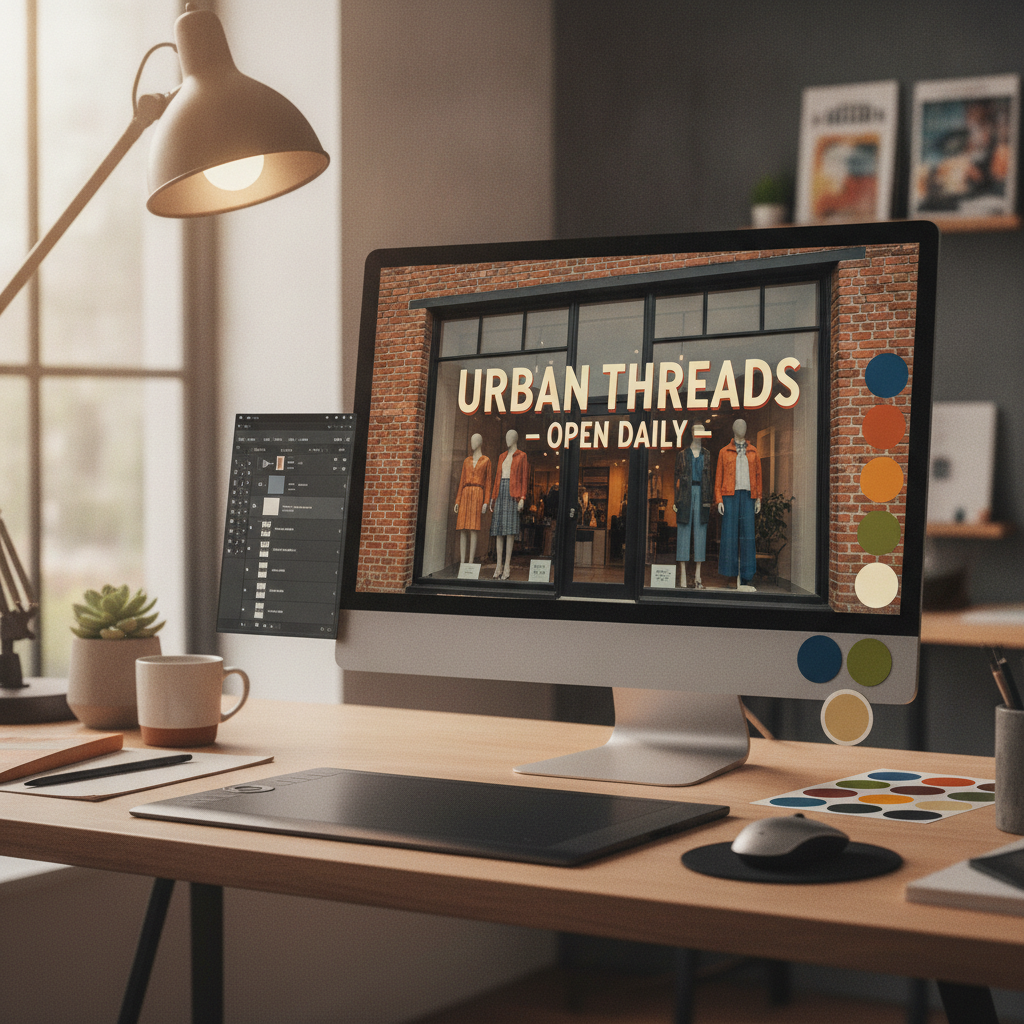
In today’s digital marketplace, standing out on Google is more than just having a business listing, it’s about making every element of your profile work for you. One of the most overlooked yet impactful aspects is image optimization. Whether you’re a small business owner, a developer managing multiple profiles, or simply someone looking to boost your online presence, understanding how to optimize images for your Google Business Profile can make a significant difference. The right images not only attract attention but also communicate your brand’s story and professionalism at a glance. In this guide, we’ll break down the essentials of Google Business Profile Optimization, focusing on best practices for images that help you shine in search results. From technical specs to creative strategies, you’ll discover actionable tips that are easy to implement and proven to drive engagement. Let’s dive in and unlock the potential of your business profile through the power of optimized images.
Google Business Profile Optimization: Image Essentials
Google Business Profile Optimization is a vital strategy for any company aiming to increase visibility and credibility online. One of the core pillars of this optimization is the use of high-quality, well-optimized images. Images are often the first thing potential customers notice when they find your business on Google, and they play a crucial role in shaping first impressions. To ensure your business stands out, it’s essential to understand what makes an image effective in the context of your Google Business Profile.
First, image resolution matters. Google recommends uploading images that are at least 720 pixels wide by 720 pixels tall. This ensures clarity across devices, from smartphones to desktops. File size is equally important; images should be under 5MB to guarantee fast loading without sacrificing quality. JPEG and PNG formats are both accepted, but JPEG is often preferred for photos due to its balance of quality and file size, while PNG is better for graphics or images with transparency.
Beyond technical specifications, relevance and authenticity are key. Use real photos of your business, products, staff, and environment. Avoid stock images, as Google may remove them or lower your profile’s trustworthiness. Consistency in style and branding across your images helps reinforce your identity and makes your profile look more professional. Don’t forget to update images regularly to reflect current offerings, seasonal promotions, or renovations.
For a deeper dive into the features and benefits of image optimization, explore tools and platforms that streamline the process and help you maintain a polished, engaging Google Business Profile.
Boosting Engagement with Google Business Profile Optimization
One of the standout benefits of Google Business Profile Optimization is the direct impact it has on customer engagement. Optimized images capture attention, encourage interaction, and can even influence purchasing decisions. When users search for businesses, profiles with vibrant, clear, and relevant images consistently see higher click-through rates and more positive customer actions, such as calls, website visits, and direction requests.
To maximize engagement, focus on showcasing your unique selling points visually. For restaurants, this could mean mouthwatering photos of signature dishes. Retailers might highlight best-selling products or inviting store layouts. Service providers can display before-and-after shots or team photos to build trust. Every image should tell a story about your business and invite customers to learn more.
Another key aspect is consistency. Regularly updating your images keeps your profile fresh and signals to Google, and your audience, that your business is active and attentive. Consider establishing a monthly or seasonal routine for adding new photos, such as highlighting new products, events, or customer testimonials. This ongoing effort not only improves your visual appeal but also boosts your ranking in local search results.
If you’re looking for professional support in elevating your business profile, AJ Gabriele Marketing offers comprehensive solutions tailored to help businesses nationwide succeed with Google Business Profile Optimization.
How to Optimize Images for Google Business Profile
Wondering how to get started with Google Business Profile Optimization for your images? The process is straightforward but requires attention to detail. Begin by auditing your current images, are they high resolution, relevant, and up to date? Remove any outdated or low-quality photos that don’t reflect your brand’s current image.
Next, focus on the technical aspects. Resize your images to at least 720×720 pixels and keep the file size under 5MB. Use descriptive file names and add relevant metadata, such as alt text, to help Google understand the content of your images. This not only improves accessibility but can also enhance your search visibility.
Lighting and composition matter, too. Natural light is ideal for most photos, and simple backgrounds help keep the focus on your subject. Avoid clutter and distractions in the frame. For team or staff photos, ensure everyone is clearly visible and dressed appropriately for your brand’s image.
For more hands-on guidance and advanced tools to streamline your optimization process, visit our site for resources that can help you achieve the best results with your Google Business Profile Optimization efforts.
Choosing the Right Image Types for Your Profile
Selecting the right types of images is a crucial step in Google Business Profile Optimization. Not all images serve the same purpose, and Google offers several categories to help you showcase different aspects of your business. These include profile photos, cover photos, and additional images that highlight your products, services, and environment.
Your profile photo is often the first image people see, so choose one that clearly represents your business. This could be your logo or a professional headshot if you are the face of your brand. The cover photo should be visually striking and give an overview of your business, such as a storefront, interior, or a signature product. Additional images can include anything from product close-ups and team photos to shots of your workspace or customer interactions.
Diversifying your image types not only provides a more complete picture of your business but also caters to different customer interests. Some people are drawn to product images, while others want to see the atmosphere or meet the team. By covering all these bases, you make your profile more engaging and informative.
Remember, authenticity is key. Use real, high-quality photos that accurately reflect your business. Avoid over-editing or using filters that distort reality, as this can lead to customer disappointment and negative reviews.
Technical Specifications for Google Business Profile Images
Getting the technical details right is essential for effective Google Business Profile Optimization. Google has specific requirements for images to ensure they display correctly across all devices and platforms. Here’s a quick reference guide to help you meet these standards:
| Image Type | Recommended Size | File Format | Max File Size |
|---|---|---|---|
| Profile Photo | 720 x 720 px | JPEG, PNG | 5 MB |
| Cover Photo | 1024 x 576 px | JPEG, PNG | 5 MB |
| Additional Images | 720 x 720 px | JPEG, PNG | 5 MB |
Sticking to these specifications ensures your images look sharp and professional, no matter how users access your Google Business Profile. Consistent sizing and formatting also help maintain a cohesive appearance across your entire profile, which is a subtle yet powerful aspect of Google Business Profile Optimization.
Best Practices for Naming and Tagging Images
Properly naming and tagging your images is a small step that can yield significant results in Google Business Profile Optimization. When you upload images, use descriptive file names that reflect the content of the photo. For example, instead of “IMG_1234.jpg,” use “bakery-cupcakes-display.jpg” or “team-photo-2024.jpg.” This not only helps with organization but also provides search engines with valuable context about your images.
Alt text is another important element. Alt text describes the image for users who rely on screen readers and for search engines that index your content. Write concise, accurate descriptions that include relevant keywords where appropriate, but avoid keyword stuffing. For example, “Freshly baked chocolate cupcakes on display at bakery counter” is more effective than simply “cupcakes.”
Tagging images with location and business-related keywords can further enhance your Google Business Profile Optimization. However, since this article is focused on a national audience, stick to business categories, product types, or service descriptions rather than geographic tags. This approach helps your profile appear in relevant searches across the United States.
By following these best practices, you make your images more accessible, searchable, and aligned with your overall optimization strategy.
Maintaining Consistency in Your Visual Branding
Consistency is a cornerstone of effective Google Business Profile Optimization. When your images share a cohesive look and feel, they reinforce your brand identity and make your profile more memorable. Start by defining your visual style, this could include specific color palettes, lighting styles, or composition techniques that reflect your brand values.
Apply these standards across all images you upload. For example, if your brand is known for a clean, modern aesthetic, ensure your photos are bright, uncluttered, and feature contemporary elements. If you want to convey warmth and approachability, use natural lighting and candid shots of your team interacting with customers.
Regularly review your profile to ensure all images align with your branding guidelines. Replace outdated or off-brand photos promptly. This ongoing attention to detail not only supports your Google Business Profile Optimization but also builds trust with potential customers who appreciate consistency and professionalism.
Consider creating a simple style guide for your team or anyone responsible for managing your business profile. This ensures everyone is on the same page and helps maintain a unified look over time.
Leveraging User-Generated Content for Greater Impact
User-generated content (UGC) is a powerful asset for Google Business Profile Optimization. When customers share photos of their experiences with your business, it adds authenticity and social proof to your profile. These images often resonate more with potential customers than professional photos, as they provide a genuine glimpse into what it’s like to interact with your brand.
Encourage customers to upload their photos by creating incentives, such as featuring the best images on your social media or offering small rewards. Respond to and engage with users who contribute content, thanking them for their support. This not only fosters community but also increases the likelihood of more customers sharing their experiences.
Monitor user-generated images regularly to ensure they align with your brand and meet Google’s content guidelines. If you come across inappropriate or irrelevant photos, you can flag them for removal through your Google Business Profile dashboard. Balancing UGC with your own curated images creates a dynamic and engaging profile that appeals to a broad audience.
By leveraging UGC, you enhance your Google Business Profile Optimization efforts and demonstrate a vibrant, customer-focused brand.
Avoiding Common Image Optimization Mistakes
While optimizing images for your Google Business Profile can yield significant benefits, there are common pitfalls to watch out for. One frequent mistake is using low-resolution or blurry images, which can make your profile appear unprofessional and deter potential customers. Always use high-quality photos that meet Google’s recommended specifications.
Another mistake is neglecting to update images. Outdated photos, such as old storefronts or discontinued products, can mislead customers and harm your credibility. Make it a habit to review and refresh your images regularly, especially after renovations, rebranding, or menu changes.
Over-editing is also a concern. While it’s tempting to enhance images with filters or heavy retouching, this can create unrealistic expectations and lead to customer disappointment. Strive for authenticity and accuracy in all your photos.
Lastly, avoid uploading irrelevant images or using stock photos. Google values originality and may remove images that don’t accurately represent your business. By steering clear of these common mistakes, you ensure your Google Business Profile Optimization efforts are effective and sustainable.
Tracking the Impact of Your Image Optimization Efforts
After implementing Google Business Profile Optimization strategies, it’s important to measure their effectiveness. Google provides insights and analytics within your Business Profile dashboard, allowing you to track how your images are performing. Key metrics include the number of views, clicks, and customer actions generated by your photos.
Analyze which images receive the most engagement and try to identify patterns. Are certain types of photos, such as product shots or team images, more popular? Use this information to guide future uploads and refine your visual strategy. If you notice a decline in engagement, consider updating your images or experimenting with new styles and subjects.
Regular monitoring and adjustment are essential for maintaining a high-performing Google Business Profile. By staying proactive and data-driven, you can continually improve your profile’s effectiveness and ensure your business remains competitive in search results.
Remember, Google Business Profile Optimization is an ongoing process. Stay committed to updating and refining your images to maximize your online impact.
Key Takeaways
Optimizing images for your Google Business Profile is a powerful way to enhance your online presence, attract more customers, and build trust. By following best practices, such as using high-quality, relevant images, adhering to technical specifications, and maintaining consistency in your visual branding, you set your business up for success. Don’t forget the importance of naming and tagging images, leveraging user-generated content, and regularly tracking your results.
Google Business Profile Optimization isn’t a one-time task but an ongoing commitment. Stay proactive, keep your images fresh, and always look for opportunities to showcase your business in the best light possible. With these strategies, you’ll be well on your way to creating a compelling, high-performing profile that stands out in Google search results and drives real business growth.