
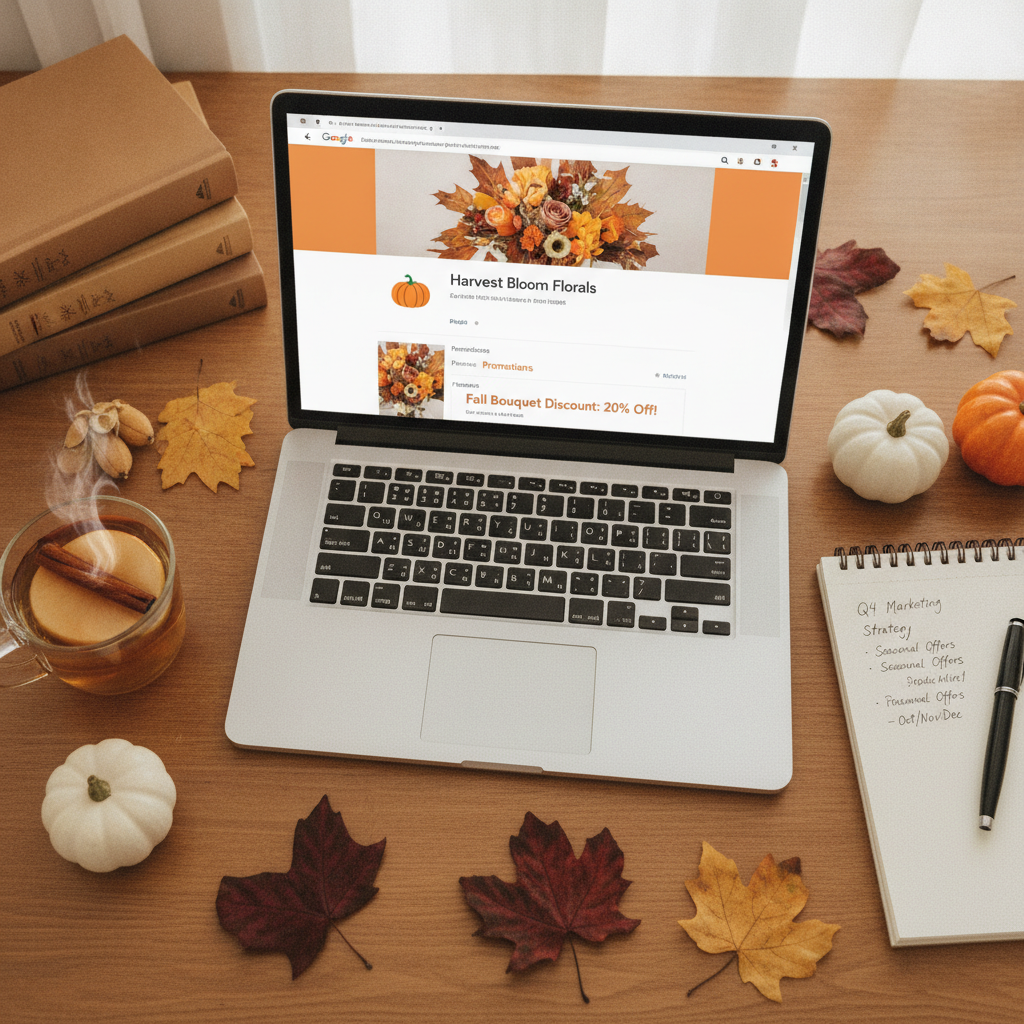
Seasonal promotions are a powerful way for businesses across the US to attract new customers, boost sales, and stay relevant throughout the year. Whether you’re gearing up for the holiday rush, summer sales, or back-to-school specials, your online presence is key to making these campaigns a success. One of the most effective ways to ensure your business stands out is through Google Business Profile Optimization. By keeping your profile updated with the latest offers, events, and seasonal changes, you make it easier for potential customers to find and choose your business over competitors. In this guide, we’ll walk you through the essential steps to update your Google Business Profile for seasonal promotions, share expert tips, and help you maximize your visibility and engagement. Whether you’re a small business owner, a developer managing multiple profiles, or simply looking to improve your company’s online marketing, these strategies will set you up for year-round success.
Google Business Profile Optimization for Seasonal Promotions
Google Business Profile Optimization is the foundation for making your business stand out during seasonal promotions. By ensuring your profile is accurate, engaging, and up to date, you increase your chances of being discovered by new customers searching for timely offers. Start by reviewing all your business information, including your business name, address, phone number, and website. Make sure these details are consistent with your other online listings and reflect any seasonal changes, such as extended holiday hours or temporary closures.
Next, focus on your business description. Highlight what makes your seasonal promotions unique and why customers should choose you. Use clear, concise language that incorporates keywords related to your offers. Don’t forget to update your business categories if you’re introducing new products or services for the season.
Visual content plays a crucial role in attracting attention. Upload high-quality photos that showcase your seasonal displays, products, or events. Consider adding a special cover photo that reflects your current promotion. These images not only make your profile more appealing but also help customers understand what to expect when they visit your business.
One often-overlooked aspect of Google Business Profile Optimization is managing customer reviews. Encourage satisfied customers to leave positive feedback about their experience with your seasonal offerings. Respond promptly to all reviews, thanking customers for their input and addressing any concerns. This interaction demonstrates your commitment to customer satisfaction and can influence potential buyers.
For businesses seeking expert assistance, AJ Gabriele Marketing offers professional services to help you optimize your Google Business Profile and maximize your seasonal campaign impact. With the right optimization strategies, your business can capture more attention, drive more traffic, and convert more leads during every season.
Boost Sales with Google Business Profile Optimization
Seasonal promotions are all about capitalizing on timely opportunities, and Google Business Profile Optimization is your ticket to increased sales and engagement. When your profile is fully optimized, it appears more prominently in search results, making it easier for customers to discover your seasonal deals. Start by updating your business hours to reflect any changes for the season, such as extended shopping days or special event hours. Accurate hours prevent customer frustration and help you capture more foot traffic and online orders.
Promote your special offers by utilizing the Posts feature on your Google Business Profile. Create eye-catching posts that highlight your seasonal discounts, new arrivals, or limited-time events. Use compelling images and clear calls to action, such as “Shop Now,” “Reserve a Table,” or “Book Your Appointment.” These posts appear directly in your business listing and can drive immediate action from interested customers.
Another essential aspect of Google Business Profile Optimization is leveraging the Q&A section. Monitor this area regularly and provide detailed answers to common questions about your seasonal promotions. Anticipate what customers might want to know, such as return policies for holiday sales, parking information for special events, or details about exclusive products, and answer proactively. This not only builds trust but also reduces barriers to purchase.
Don’t overlook the power of attributes. If you’re offering curbside pickup, delivery, or other seasonal services, make sure these are clearly marked on your profile. These attributes help your business appear in filtered searches, connecting you with customers who are specifically seeking these options.
Ready to take your profile to the next level? Discover more ways to optimize your Google Business Profile and turn seasonal opportunities into lasting growth. Consistent, strategic updates ensure your business remains top-of-mind and accessible to customers all year round.
How to Update Your Google Business Profile for Seasonal Campaigns
Updating your Google Business Profile for seasonal campaigns is a step-by-step process that can yield impressive results. Begin by planning your updates in advance. Identify key dates for your seasonal promotions and set reminders to update your profile accordingly. This proactive approach ensures your information is always current and relevant.
Start with your business hours. Google allows you to set special hours for holidays or events, so take advantage of this feature. Clearly communicate any changes to avoid customer confusion. Next, update your business description to highlight your seasonal offerings. Use language that creates excitement and urgency, such as “limited-time offer” or “exclusive holiday collection.”
Don’t forget to refresh your photos and videos. Show off your decorated storefront, festive displays, or new products. Visual updates not only attract attention but also signal to Google that your profile is active and relevant, which can improve your search ranking.
Utilize the Posts feature to announce your seasonal campaigns. Include details about your promotions, event dates, and any special instructions. Posts should be updated regularly to keep your audience engaged and informed. Also, monitor and respond to customer reviews and questions promptly. Engaging with your audience builds trust and encourages repeat business.
Finally, track the performance of your updates using Google’s Insights tool. Analyze metrics such as views, clicks, and actions to determine which strategies are most effective. Use these insights to refine your approach for future campaigns, ensuring continuous improvement and better results each season.
Key Elements of a Seasonal Google Business Profile
A successful seasonal Google Business Profile is built on several key elements that work together to maximize visibility and engagement. First, ensure your business information is accurate and reflects any seasonal changes. This includes your name, address, phone number, and website. Consistency across all platforms is crucial for both customer trust and search engine rankings.
Next, update your business hours to match your seasonal schedule. If you’re open later for the holidays or have special hours for events, make these changes in advance. Google allows you to set special hours for specific dates, so take advantage of this feature to avoid confusion.
Your business description should highlight your seasonal promotions and what sets your business apart during this time. Use engaging language and relevant keywords to attract customers searching for seasonal deals. Don’t forget to update your categories if you’re offering new products or services for the season.
Visual content is another essential element. Upload fresh photos and videos that showcase your seasonal displays, products, or events. High-quality visuals make your profile more appealing and help customers understand what to expect when they visit your business.
Finally, engage with your customers through reviews and the Q&A section. Respond promptly to feedback and questions, demonstrating your commitment to customer satisfaction. This interaction not only builds trust but also encourages more customers to choose your business for their seasonal needs.
Crafting Compelling Posts for Seasonal Promotions
Posts are a dynamic feature of Google Business Profile Optimization, allowing you to communicate directly with customers about your seasonal promotions. To maximize their impact, craft posts that are visually appealing, concise, and action-oriented. Start with a catchy headline that clearly states the promotion, such as “Holiday Sale: 25% Off All Gifts” or “Summer BBQ Event This Weekend.”
Use high-quality images or videos to grab attention. Visuals should reflect the season and your specific offer. For example, showcase your store’s festive decorations, new seasonal menu items, or a behind-the-scenes look at your team preparing for a big event.
Keep the post copy short and to the point. Highlight the value of your promotion and include a clear call to action, such as “Shop Now,” “Reserve Your Spot,” or “Call Today.” Make sure to include relevant details like dates, times, and any special instructions.
Posts expire after seven days or when the event ends, so update them regularly to keep your profile fresh and engaging. Monitor the performance of your posts using Google Insights to see which messages resonate most with your audience. Use this data to refine your approach for future promotions, ensuring each campaign is more successful than the last.
Leveraging Photos and Videos for Maximum Impact
Visual content is a cornerstone of effective Google Business Profile Optimization, especially during seasonal promotions. High-quality photos and videos not only make your profile more attractive but also help customers connect with your brand on a deeper level. Start by updating your cover photo to reflect the current season or promotion. This instantly signals to customers that your business is active and engaged.
Showcase your seasonal displays, products, and events through a variety of images. Include photos of your storefront, interior, staff, and happy customers enjoying your seasonal offerings. Videos are also highly effective for demonstrating products, sharing event highlights, or offering behind-the-scenes glimpses of your business in action.
When uploading visual content, ensure all images are clear, well-lit, and professionally presented. Avoid cluttered or low-quality photos, as these can detract from your brand’s credibility. Regularly update your visuals to keep your profile fresh and relevant throughout the season.
Encourage customers to share their own photos and tag your business. User-generated content adds authenticity and can increase your reach. Monitor and respond to these contributions to foster a sense of community and engagement around your seasonal campaigns.
Managing Reviews and Customer Engagement
Customer reviews are a powerful tool for building trust and credibility, especially during seasonal promotions. Positive reviews can influence potential customers and drive more business your way. Encourage satisfied customers to leave feedback about their experience with your seasonal offerings. Provide clear instructions on how to leave a review, and consider offering a small incentive, such as a discount on their next purchase.
Respond to all reviews promptly, thanking customers for their input and addressing any concerns. Personalized responses show that you value customer feedback and are committed to providing excellent service. Address negative reviews professionally, offering solutions and inviting the customer to contact you directly if needed.
Engage with customers through the Q&A section of your Google Business Profile. Monitor this area regularly and provide detailed answers to common questions about your seasonal promotions. Proactive engagement not only builds trust but also helps potential customers make informed decisions.
Use customer feedback to improve your seasonal campaigns. Analyze reviews for common themes and adjust your offerings or customer service accordingly. This continuous improvement cycle ensures your business remains competitive and responsive to customer needs.
Tracking Performance and Measuring Success
Measuring the success of your seasonal promotions is essential for refining your strategy and maximizing results. Google Business Profile offers a range of insights that can help you track key metrics, such as profile views, website clicks, direction requests, and phone calls. Regularly review these metrics to understand how customers are interacting with your profile and which updates are driving the most engagement.
Set clear goals for each seasonal campaign, such as increasing foot traffic, boosting online orders, or generating more phone inquiries. Use the data from Google Insights to evaluate your progress toward these goals. Identify which posts, photos, or updates are performing best and replicate these strategies in future campaigns.
In addition to Google Insights, consider using other analytics tools to track website traffic, conversion rates, and sales generated from your Google Business Profile. This holistic approach provides a more comprehensive view of your campaign’s effectiveness and helps you allocate resources more efficiently.
Regular performance tracking enables you to make data-driven decisions, optimize your profile for better results, and demonstrate the ROI of your seasonal marketing efforts. By continuously measuring and refining your approach, you ensure your business stays competitive and successful throughout the year.
Table: Essential Steps for Google Business Profile Optimization
| Step | Action | Benefit |
|---|---|---|
| Update Business Info | Ensure name, address, phone, and website are current and consistent | Improves trust and search ranking |
| Set Seasonal Hours | Adjust hours for holidays and events | Prevents customer confusion |
| Refresh Description | Highlight seasonal promotions and unique offers | Attracts customers seeking deals |
| Upload Visuals | Add new photos and videos reflecting the season | Enhances profile appeal |
| Create Posts | Announce promotions and events | Drives immediate engagement |
| Monitor Reviews | Respond to feedback and questions | Builds trust and loyalty |
| Track Insights | Analyze performance metrics | Refines future campaigns |
Tips for Consistent Google Business Profile Optimization
Consistency is key when it comes to Google Business Profile Optimization. Set a regular schedule for reviewing and updating your profile, especially before major seasonal campaigns. Use a checklist to ensure all elements, business info, hours, description, visuals, posts, and reviews, are up to date and aligned with your current promotions.
Assign responsibility for profile management to a dedicated team member or consider hiring a professional service. Regular training and updates on new Google features can help you stay ahead of the competition and make the most of your profile.
Automate reminders for key dates, such as the start of a new season or upcoming holidays. This proactive approach ensures your profile is always ready to capture seasonal opportunities and provide customers with accurate, timely information.
Finally, stay informed about changes to Google Business Profile features and best practices. Join industry forums, subscribe to newsletters, and participate in webinars to keep your knowledge current. Continuous learning and adaptation are essential for long-term success in online marketing.
Avoiding Common Mistakes in Seasonal Profile Updates
Even experienced business owners can make mistakes when updating their Google Business Profile for seasonal promotions. One common error is forgetting to update business hours, leading to customer frustration and lost sales. Always double-check your hours before major holidays or events and set special hours in advance.
Another mistake is neglecting the visual aspect of your profile. Outdated or irrelevant photos can make your business appear inactive or uninviting. Regularly refresh your visuals to reflect the current season and showcase your latest offerings.
Failing to engage with customer reviews and questions is another pitfall. Prompt, personalized responses demonstrate your commitment to customer service and can turn a negative experience into a positive one. Monitor your profile regularly and address feedback in a timely manner.
Finally, avoid generic or vague posts. Each post should provide clear, specific information about your seasonal promotions and include a strong call to action. Use data from previous campaigns to refine your messaging and ensure each update resonates with your target audience.
Your Next Steps
Seasonal promotions offer a unique opportunity to connect with customers, drive sales, and grow your business throughout the year. By prioritizing Google Business Profile Optimization, you ensure your business is visible, engaging, and ready to capitalize on every seasonal opportunity. Remember to update your profile regularly, craft compelling posts, showcase your offerings with high-quality visuals, and engage with your customers through reviews and Q&A. Track your performance, learn from each campaign, and continuously refine your approach for even better results. With these strategies in place, your business will be well-positioned to thrive during every season and stand out in a competitive marketplace.